
How to find and order a construct
Three routes lead to a construct, depending on what you already know. Once you have the record, ordering is the same in every case: copy the clone ID, then search for it at DNASU.
You know the gene symbol
Go straight to Gene Records and type it into the filter box, or use Search. This is the fastest route.
You know the enzyme family
Browse Enzyme Families by CAZy family, or by function for enzymes CAZy does not classify.
You know only the activity
Search the annotation text directly — try sialyltransferase — or look the gene symbol up at HGNC or UniProt first, as described below.
Finding a gene symbol from an enzyme activity
Records are keyed on gene symbol rather than enzyme name, because enzyme nomenclature is ambiguous in this field — the same activity often has several names and the same name is sometimes used for different activities. If you know the activity but not the symbol, resolve it at one of the nomenclature authorities first.
Search HGNC for the activity
At the HUGO Gene Nomenclature Committee site, enter the activity — the example below uses sialyltransferase.
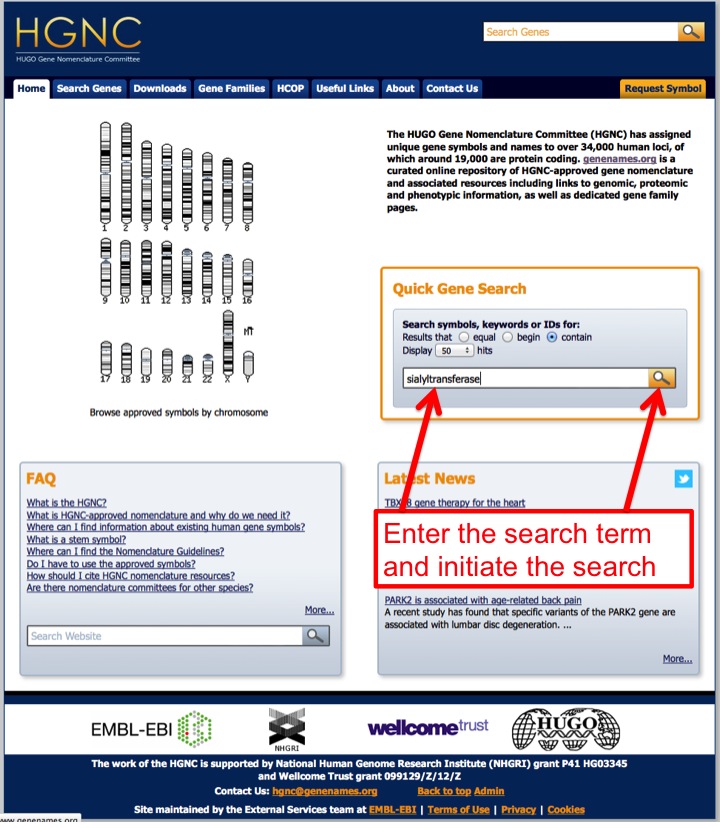
Searching the HGNC GeneNames site for an enzyme activity. Read the approved symbols off the results
Results list matching enzymes with their approved gene symbols. Note the symbol you want.
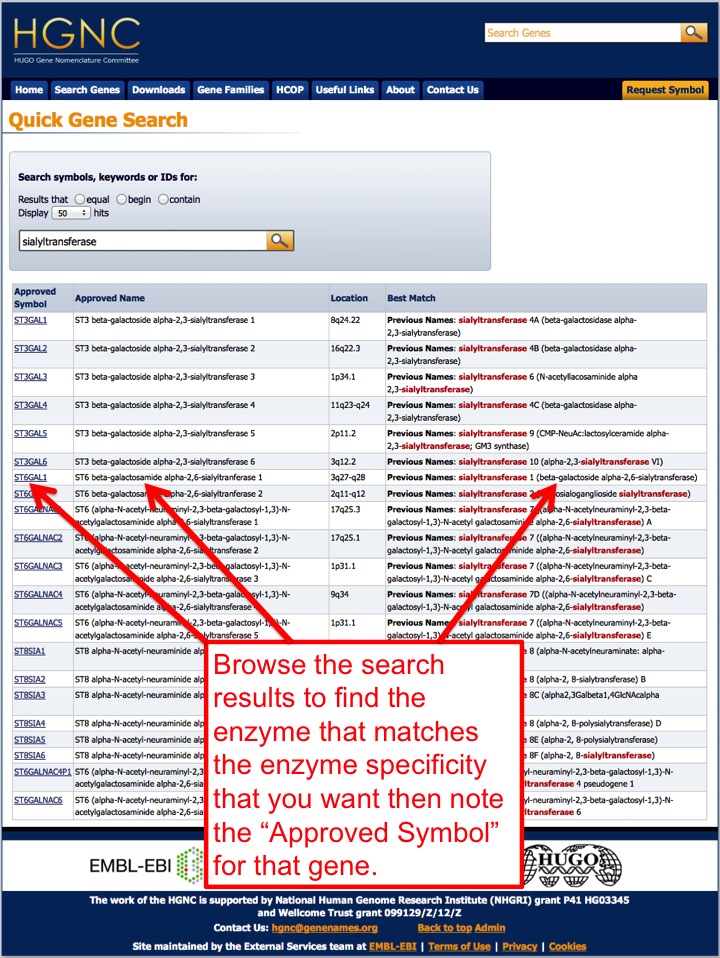
HGNC results, with approved gene symbols in the symbol column. Or search UniProt instead
At UniProt, enter the activity together with the organism — for example sialyltransferase and homo sapiens.
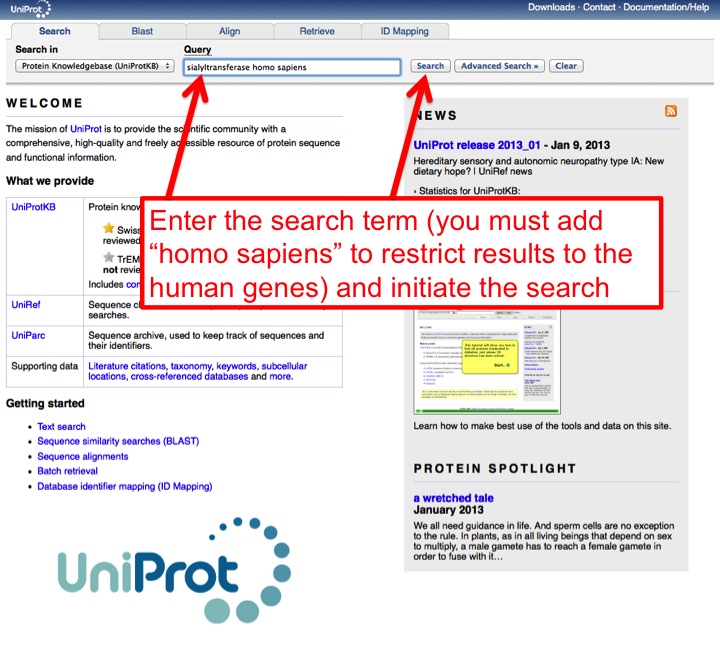
The equivalent query at UniProt, restricted by organism. Read the gene names off the UniProt results
Matching entries list enzyme names alongside gene names.
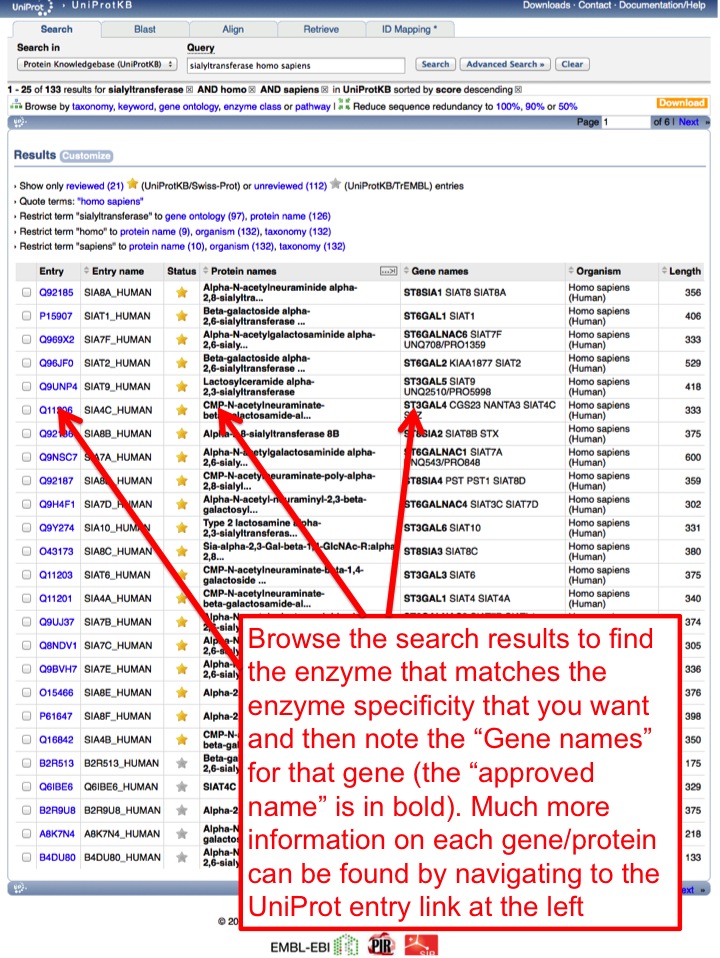
UniProt results listing gene names for each matching entry.
Reading a gene record
A record opens with the identifiers and annotation for the gene, then the design strategy, then the constructs. Constructs are grouped by expression host: mammalian, baculovirus and bacterial. Each row gives the vector, the fusion strategy, links to the annotated GenBank sequence and any vector map, and the DNASU clone ID.
- A row with a clone ID is a plasmid you can order. Use the Copy button beside it.
- A row reading not yet assigned is a construct that was designed and sequenced but for which no distributable clone was deposited. Its sequence files are still available.
- Baculovirus rows point to the Jarvis lab rather than a clone ID. Virus stocks are never distributed by DNASU.
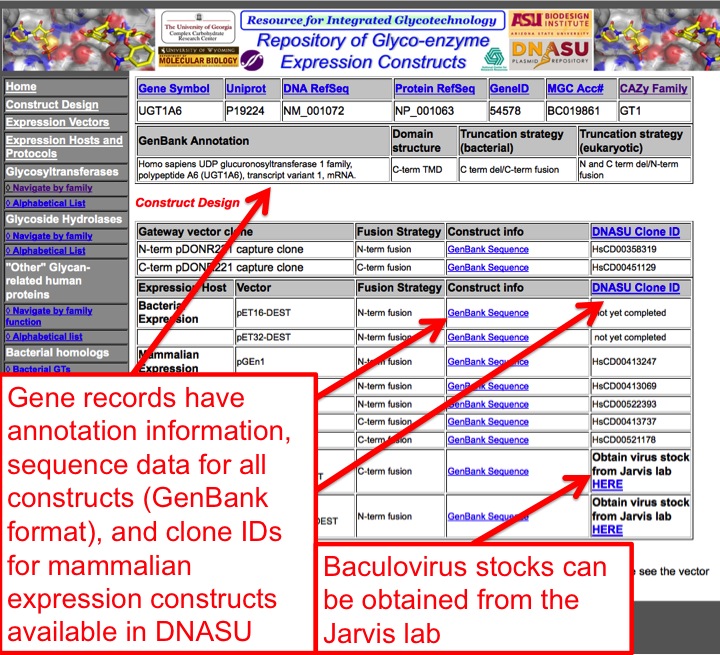
Ordering a plasmid from DNASU
Copy the clone ID
On the record, press Copy beside the DNASU clone ID for the construct you want.
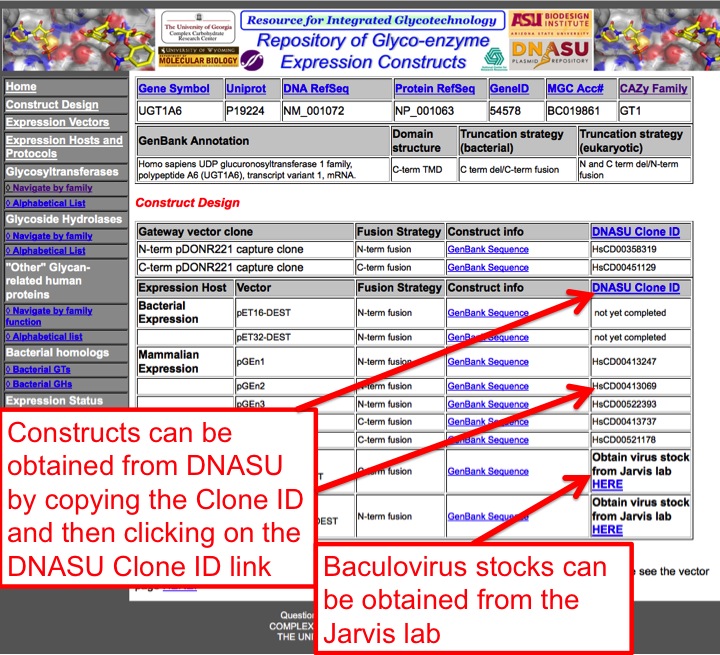
The clone ID column on a gene record. Open the DNASU clone search
Follow DNASU clone search — also linked from every record — and paste the ID into the search box.
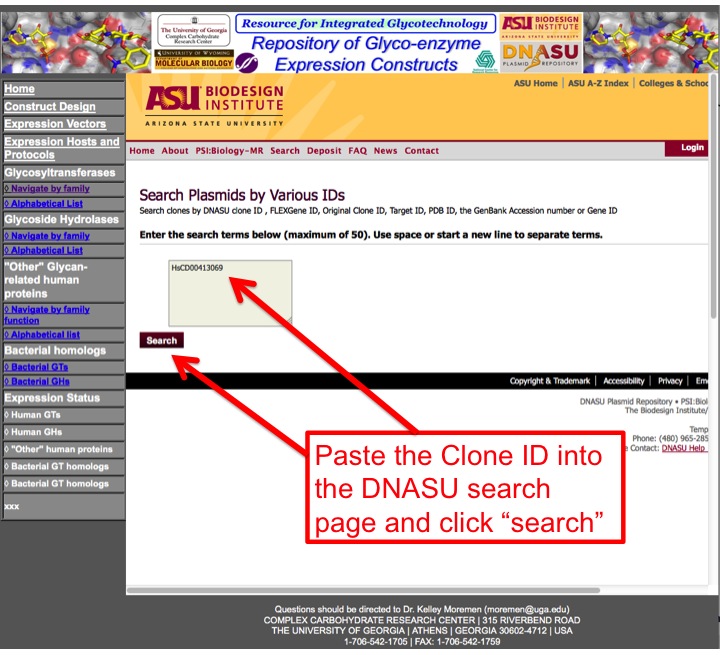
The DNASU clone search page with a clone ID pasted in. Confirm the record and add to cart
DNASU shows the plasmid record with its own annotation links. Confirm it encodes the gene you expect, then add it to the cart and complete the order.
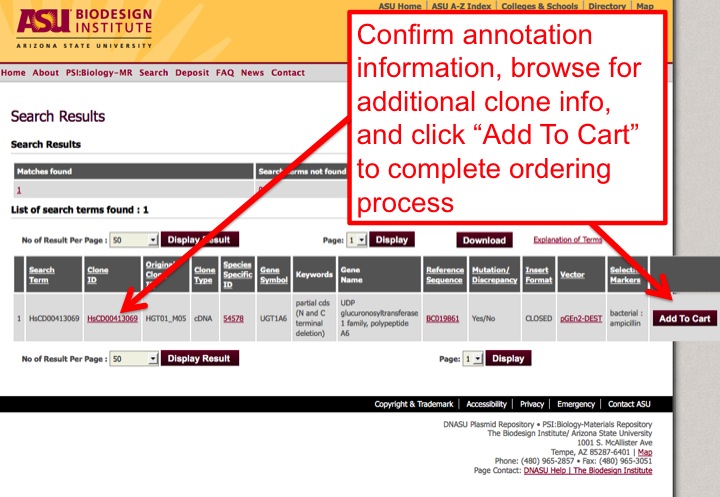
A DNASU plasmid record, with Add To Cart.
Expression levels
Measured expression levels for the constructs are not held in the individual records; they are in the summary spreadsheets on the Downloads page. Consult those before committing to a construct, since yield varies substantially between genes and between hosts for the same gene.
The screenshots above were taken from the original site. Page layout has changed in this rebuild; the fields, clone IDs and the DNASU ordering process they illustrate have not.